



From WordRake to BriefCatch
Everything you loved about WordRake — now more powerful.
Beyond Grammar
Cohesive Edits
Choice in Wording
WordRake edits use Word’s Track Changes feature — orange strikethroughs for deletions and insertions.
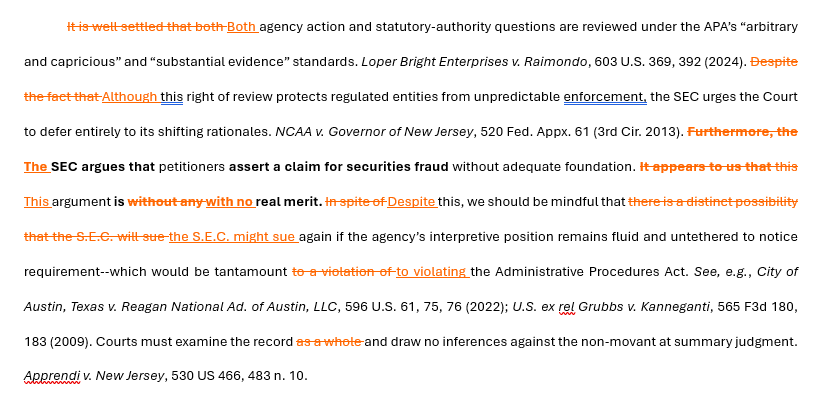
WordRake: edits shown as Track Changes in Microsoft Word
BriefCatch highlights the same problematic wording, color-codes it by issue type, explains the problem, and lets you choose the best edit for your sentence.
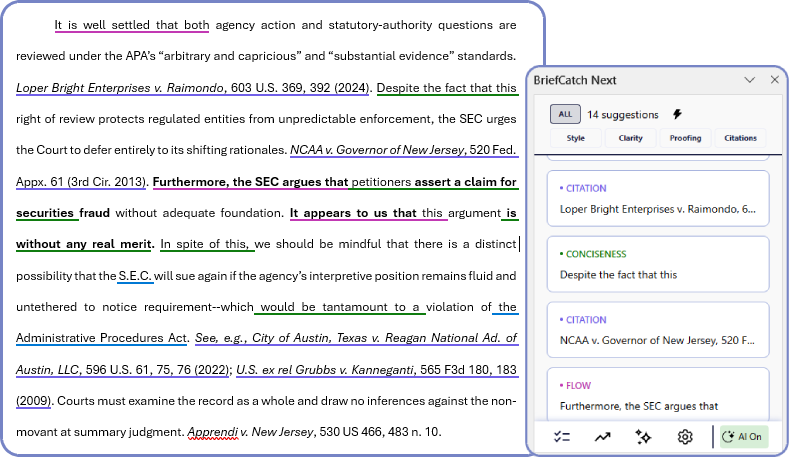
BriefCatch: color-coded highlights in Word with suggestion panel
Each suggestion explains the problem and offers expert alternatives
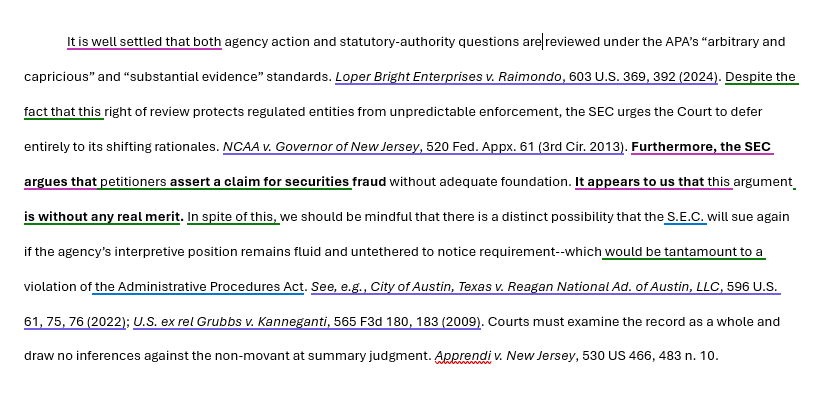
BriefCatch highlights in Word
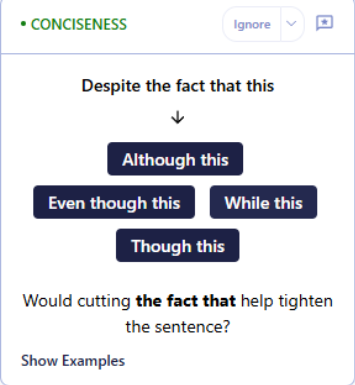
Conciseness card and Punchiness card
Click on Show Examples to see how elite legal writers handle the same issue:
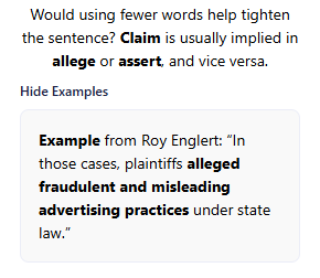
Real examples from elite legal briefs and judicial opinions
BriefCatch edits go beyond WordRake’s: AI-powered Bluebook citation correction, right in your document.
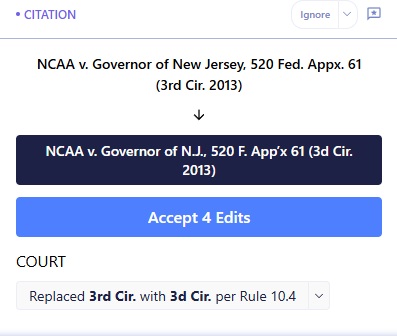
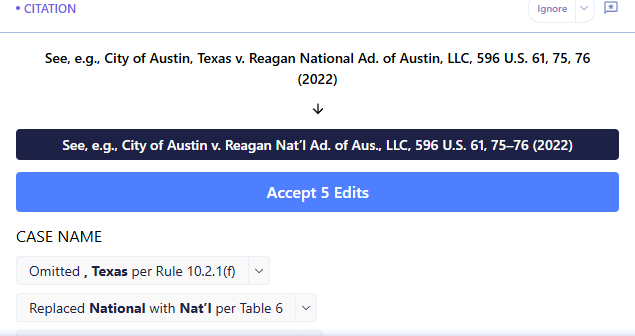
BriefCatch catches Bluebook errors and explains each correction by rule number
Click the  lightning bolt and BriefCatch automatically accepts all suggested edits and marks them as Track Changes — the exact same output you're used to from WordRake.
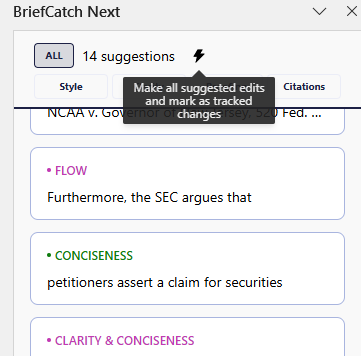
makes all suggested edits as Track Changes
The result looks just like WordRake — but with smarter, more comprehensive edits:
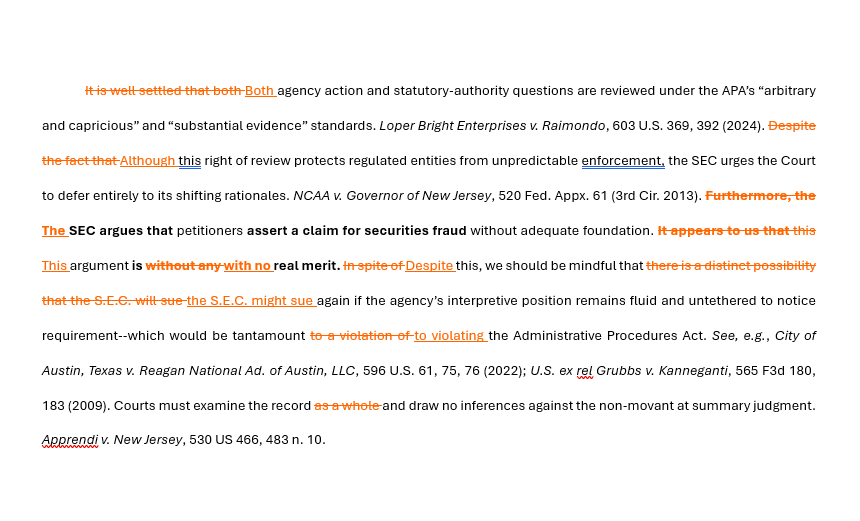
WordRake output
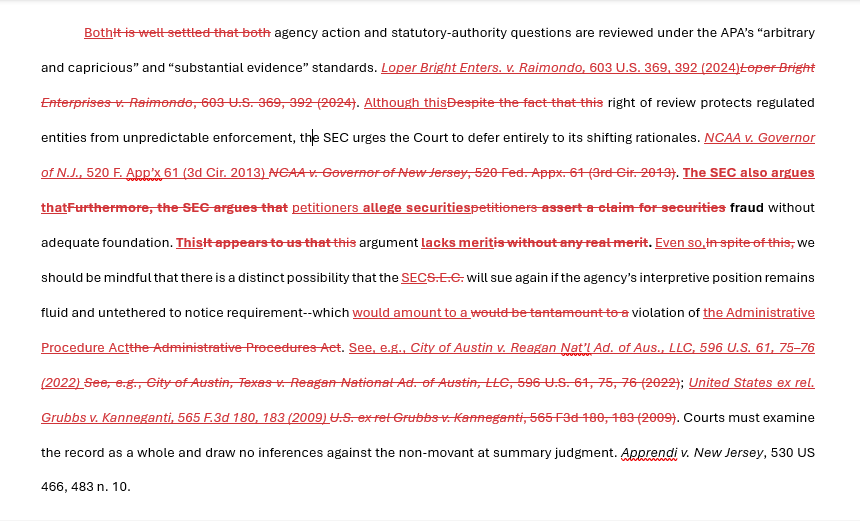
BriefCatch output (via )
You are opted out by default.
Enable BriefChat if you want an AI assistant that can answer writing questions and suggest improvements — all without ever storing your document.
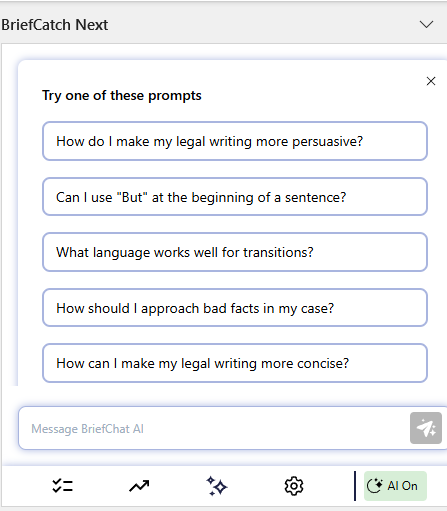
BriefChat AI — opt-in only, never records your documents
“In seconds, BriefCatch can perform a strong first-round edit that would take me an hour or more to perform by hand.”
Amanda Heitz, Litigation Partner, Bowman and Brooke
Upgrade to BriefCatch Next
You don't need to choose between what already works and something new. BriefCatch Next preserves the clarity you trust in WordRake, while giving you tools designed for modern legal writing.
.svg)
Current WordRake Users Can...

Get full access to BriefCatch Next at no cost while your WordRake subscription is active. Check your email for details or contact our support team for help.
When your WordRake subscription ends, you can move to the BriefCatch Next Solo plan, which includes a 7-day free trial and 20% off your first year with the coupon code emailed to you.
.svg)

.svg)

.svg)